
TL;DR: Hiilite is an all-in-one AI marketing platform built around a single operating map. Six sections connect your daily work, your client data, your AI agents, and your approval decisions in one place. Open the platform, see what needs attention, approve what ships. That is the workday loop.
What the all-in-one AI marketing platform is
Hiilite is an all-in-one AI marketing platform. It connects your daily work, your client data, your AI marketing agents, and your approval decisions into one navigable system, so you always know what is happening, what to do next, and who or what is doing the work.
Most marketing setups split these things across separate tools: one tab for reporting, another for tasks, another for strategy docs, another for whatever AI tool is supposed to help. You spend more time translating between tools than you do actually moving the work forward. If you are weighing this against your current stack, the platform comparison lays out what consolidation actually replaces.
Hiilite is built on a different premise. The navigation is not a menu. It is a map. The map shows how the pieces connect, and every step in your workday follows from it.
To understand the full model behind the platform, start with the operating system. This page is about how you use it day to day.
The six sections of the operating map
The platform is organized around six sections. Each one owns a specific part of your marketing operation.
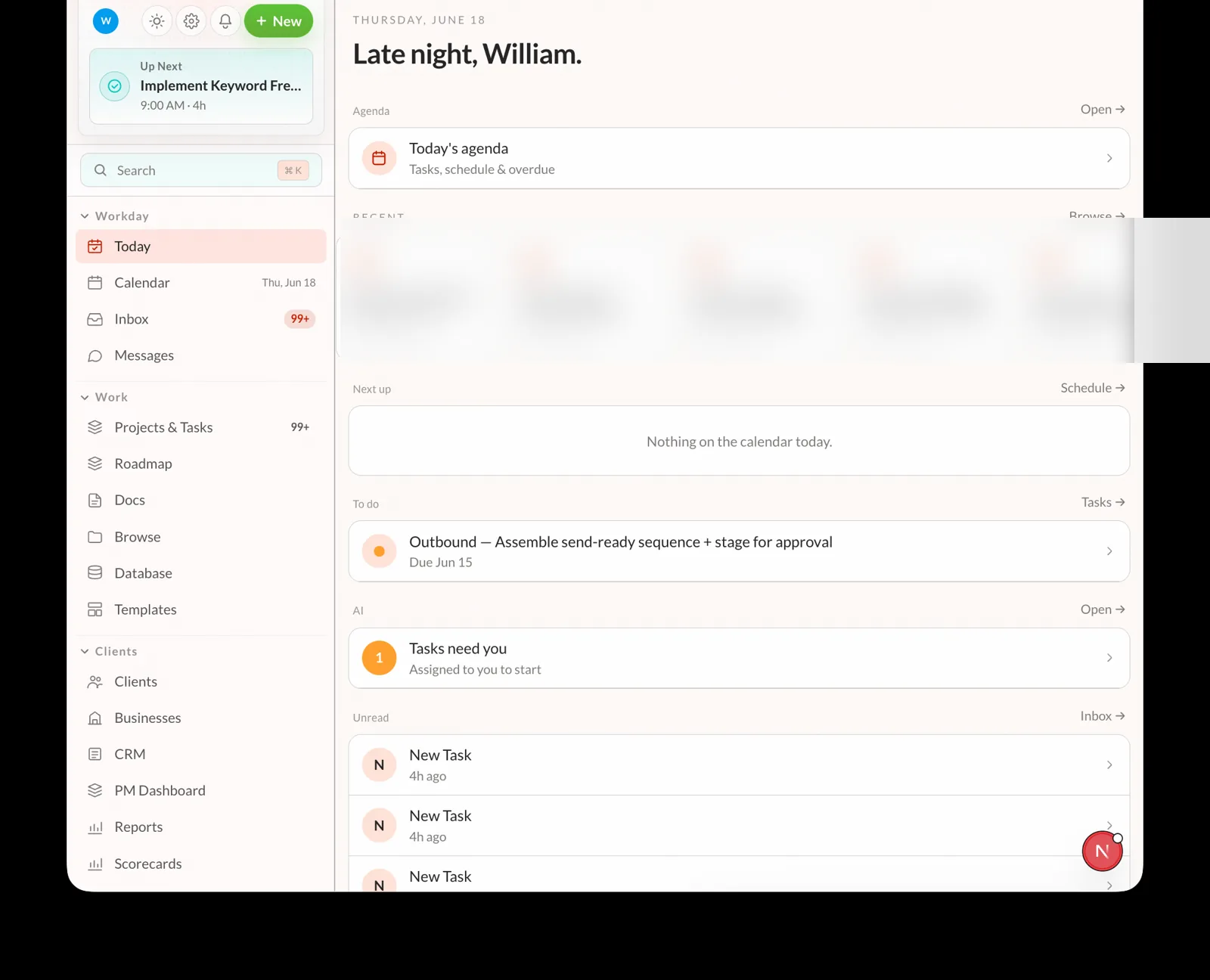
- Workday — your daily landing zone: Today’s priority view, Calendar, Inbox, and Messages. Every session starts here.
- Work — the execution layer: Projects and Tasks, Roadmap, Docs, Database, and Templates. Where the actual work lives.
- Clients — the client intelligence hub: CRM, Reports, Scorecards, Plays, and PM Dashboard. Where you see what is happening for each account.
- Growth — paid channel management: Meta Ads, Google Ads, and Client Portals. Where campaign work and client-facing outputs live.
- AI — the agent control room: Agents, Dispatch, Workflows, Strategy, Brand Voice, Knowledge, and Skills. Where you direct, monitor, and review what the AI is doing.
- Platform — the operational backbone: Integrations, System Map, Brain, and Help. Where you connect data sources and inspect the system itself.
Together these six sections replace the six-tab shuffle. You do not need a separate tool for each one.
Navigating your marketing workday
Running your marketing workday in Hiilite follows a consistent loop. Here is how it works in practice.
1. Open Today
Start from the Today screen in Workday. The platform surfaces what has changed since your last session: a client goal that is off track, a Scorecard that moved, a Play recommendation waiting for a decision.
You are not hunting for problems. The map tells you where to look.
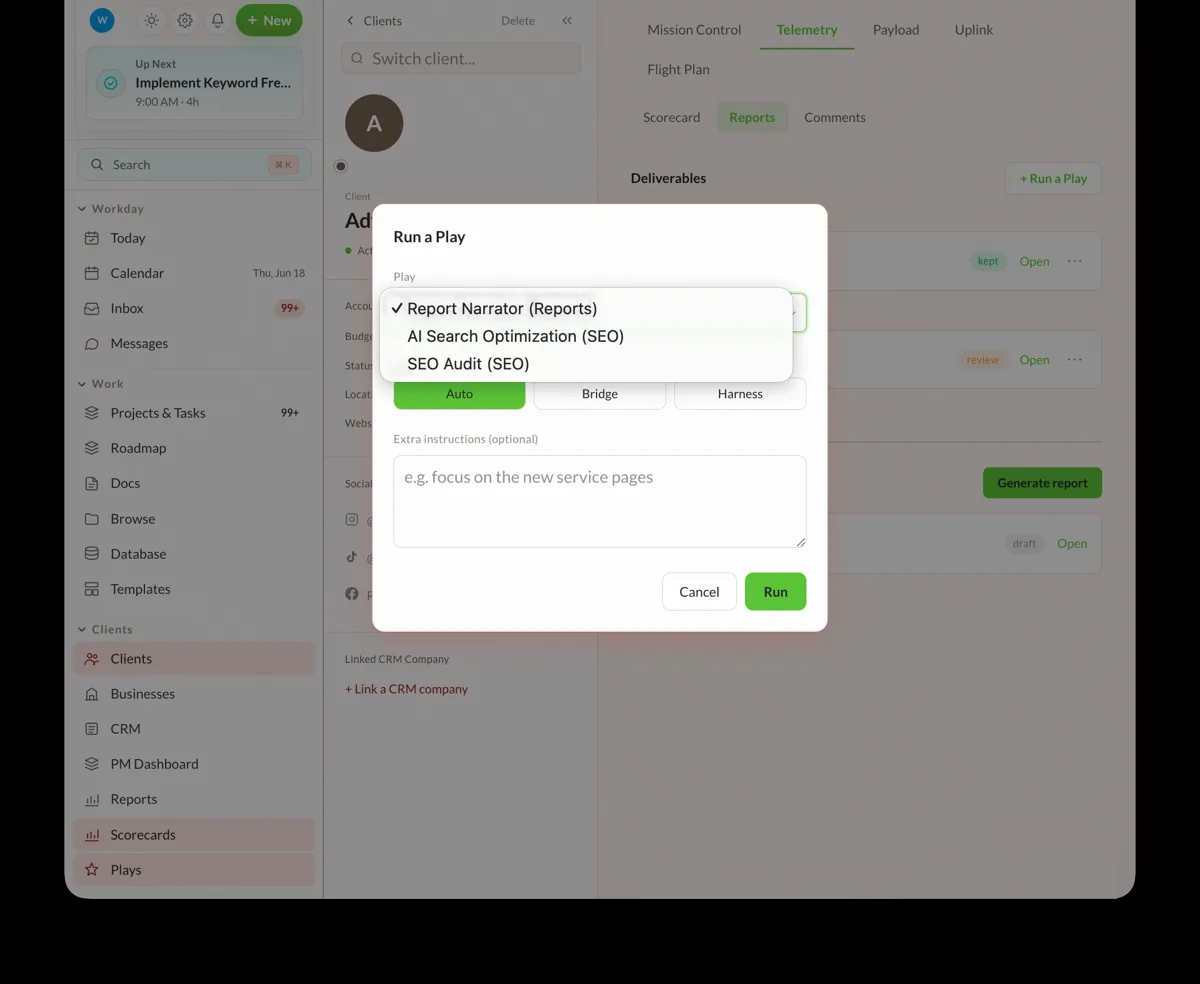
2. Assign a Play
Move to Clients > Plays. The Agentic Advisor ranks the available Plays by expected impact and explains why each one matters given the current client data. Select the Play that fits the moment and assign it — to an AI agent running in AI > Agents, or to a team member on the task.
This is what agentic marketing looks like in practice: the system reads the situation, recommends the move, and lines up the execution. You make the call.
3. Approve at the gate
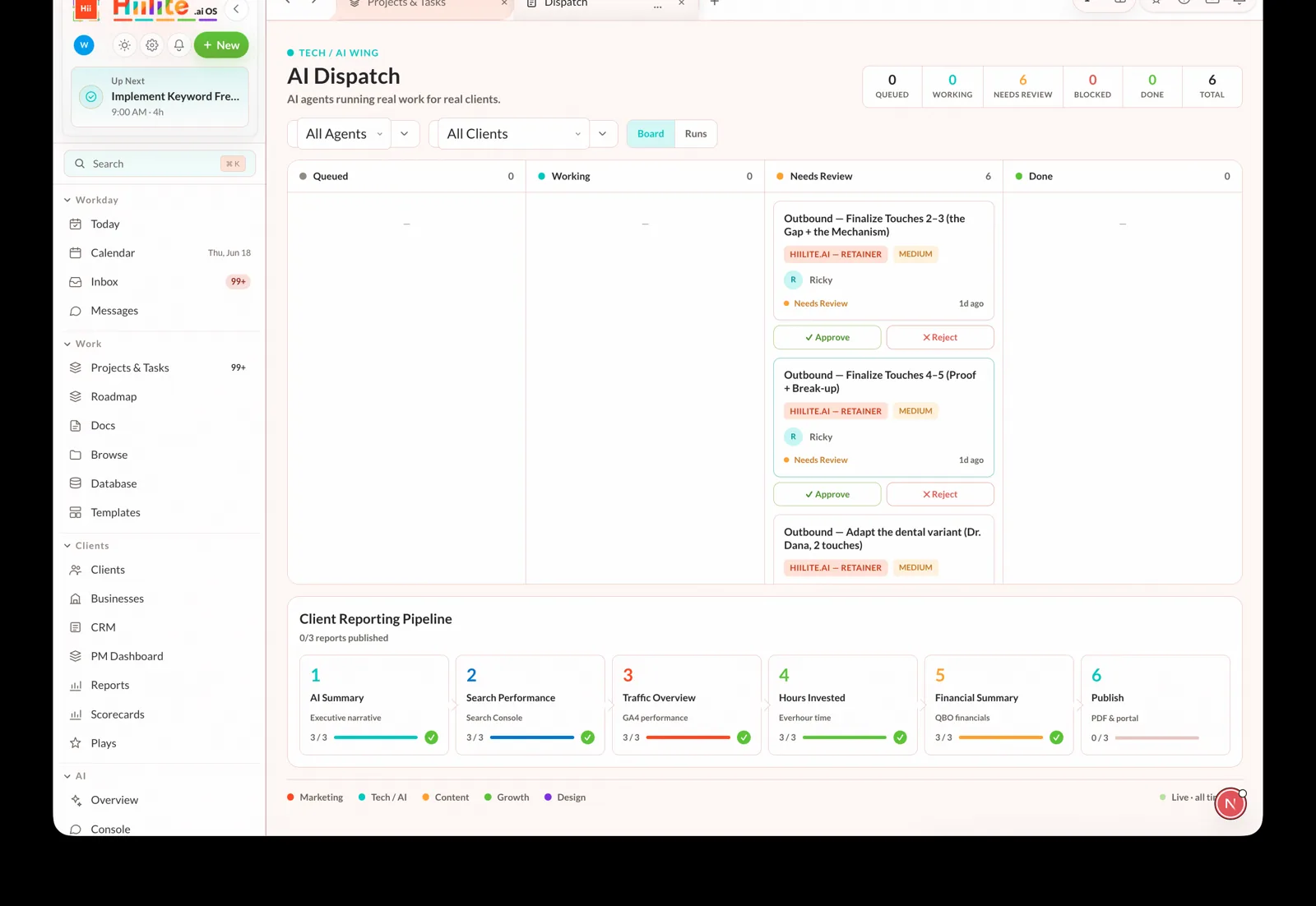
Before anything outward-facing ships, it comes through AI > Dispatch. Copy, creative, outbound messages, campaign changes — a human reviews and approves. The AI agents do not publish without the gate.
This is the core design principle behind Hiilite’s approach to AI marketing agents: autonomous enough to be useful, accountable enough to be trusted.
4. Check what moved
After a Play runs, the result feeds back into Clients > Reports and Clients > Scorecards. You can see whether the metric moved, by how much, and in what direction. The PM Dashboard shows the full client picture and informs the next Play recommendation.
The workday is not a series of disconnected tasks. It is a loop: see the state, pick the move, approve the execution, measure the result, repeat.
How this fits the Growth Mapping loop
The operating map is the navigation layer for Hiilite’s Growth Mapping framework: Sense, Seize, Transform.
Sense — Start from Today or Clients > Reports. The platform reads your current state from connected data: revenue, pipeline, traffic, search rankings, and site health, drawing on the same research and free marketing tools that power the platform’s analysis. You see reality before you decide anything.
Seize — Move into Clients > Plays. The Agentic Advisor ranks your next moves and explains why they matter now, not in general, but given your current numbers, prioritizing the work most likely to move revenue. For a deeper look at the theory, see The Agentic Agency and the Growth Mapping paper.
Transform — Approve the work through AI > Dispatch, track execution, and measure what moved in Scorecards and Reports. The result feeds the next cycle.
A menu lists options. A map shows how the options connect and which one to take. That is the difference.
FAQ
How do you navigate an all-in-one AI marketing platform?
Start from the section that owns the question you have. If you want to know what needs attention today, open Workday > Today. If you want to know what to do next for a client, go to Clients > Plays. If something needs sign-off before it ships, go to AI > Dispatch. The navigation is built to match the actual questions a business owner asks during a workday, not to expose every internal object in the system.
What is agentic marketing?
Agentic marketing means AI agents that can read the current state of your marketing, decide what action to take toward a goal, and execute that action, not just describe it. The key word is action. A dashboard tells you what happened. An agentic marketing system recommends the next move and can run it once you approve. Hiilite’s AI agents and Agentic Advisor are built on this model. For the full explanation, see the agentic marketing guide.
What are AI marketing agents?
AI marketing agents are software workers that can execute specific marketing tasks: drafting copy, analyzing performance data, flagging anomalies, preparing a Play for review. In Hiilite, agents are managed from AI > Agents alongside task assignments for human team members. They take assignments, complete work, and route outputs to the Dispatch approval queue. They do not publish anything without a human sign-off.
How does the marketing approval workflow work in Hiilite?
Every outward-facing output — copy, creative, outbound messages — goes through AI > Dispatch before it ships. An agent or team member completes the work and routes it to review. You approve, request changes, or reject. Nothing leaves the platform without passing the gate. This keeps the marketing workflow software accountable without slowing down the team.
Is this a dashboard?
No. A dashboard shows you metrics and leaves the next step to you. Hiilite’s operating map keeps the next step connected to the data. You see the client state, the recommendation, the Play that will run, who will run it, the approval state, and the measured outcome, without switching tools to get from one to the next. Reports and Scorecards are one section of the map, not the whole product.
Where do I go to understand the overall system, not just how to use it?
The operating system page explains the full model behind the platform: what the system is, how the sections relate, and the design principles behind the architecture. This page covers how to navigate it during a workday. Start there if you want the conceptual view, then come back here for the operational one.
Related reading: Growth Mapping framework · The Agentic Agency · What is agentic marketing · One Inbox, One Queue · The Growth Mapping paper · Platform comparison · Free marketing tools · Research · Platform docs